
DailyBible Lite - KJV Version
LINKAMEN PTE. LTD.Books & Reference
4.92.69K Reviews
- Version
- 1.7.9
- Installs
- 1.00M
- Age Rating
- Everyone
Screenshots
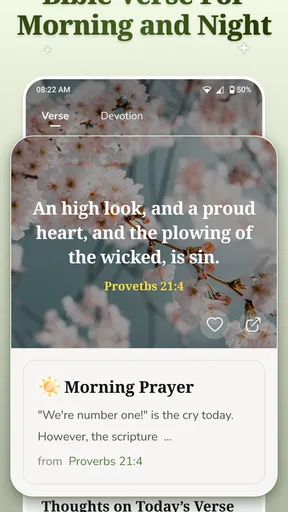
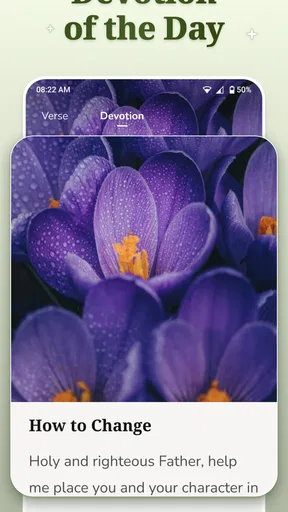
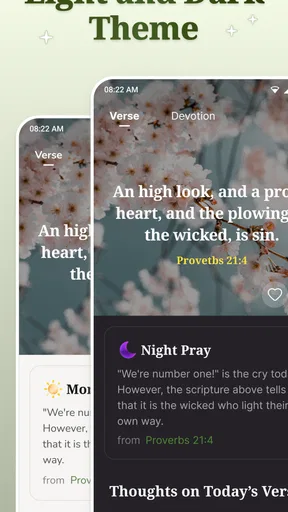

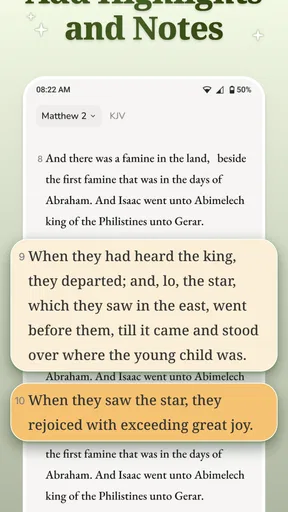
Our Review of DailyBible Lite - KJV Version
 Analysis by Appyee
I approached DailyBible Lite - KJV Version as a practical reading tool rather than a replacement for every Bible app on a phone. Its focus is clear: give me a compact way to read the King James Version, listen to passages, and spend time with pastoral guidance without making the experience feel like a large digital library. That narrow purpose is its biggest strength, especially when I want a quiet reading session instead of a screen full of study tools.
The app sits in the Books & Reference category and is developed by LINKAMEN PTE. LTD. It is free to install, with optional in-app purchases ranging from $4.99 to $24.99 per item. Its Everyone content rating also makes it suitable for a broad household audience. The current version is 1.6.4, and it runs on Android 7.0 or later.
How DailyBible Lite handles reading when the connection changes
I treat connectivity as part of the reading plan, not something to troubleshoot only after a passage stops. Before heading somewhere with unreliable reception, I decide whether I need audio or whether text will serve just as well; that simple choice makes it easier to keep the session focused. The next section looks at how I would weigh those options against the kind of reading routine I want to maintain.
A focused KJV experience rather than a crowded study suite
The first thing I noticed is how deliberately small the experience feels. The app is built around the KJV Bible, audio readings, and pastoral guidance, so it does not try to become a full theological reference shelf. That makes it easier to open with a specific intention: read a chapter, listen while doing something else, or look for a short piece of encouragement.
That simplicity will appeal to readers who already prefer the King James Version and do not want to choose between many translations every time they open the app. It is less suitable for someone who needs side-by-side versions, extensive original-language notes, scholarly cross-references, or a large collection of denominational study material. In those cases, a more comprehensive Bible platform will usually be a better fit.
I also found that the KJV’s older language changes the way the app feels. The wording has a formal rhythm that works well for listening, but it can slow down casual reading if you are unfamiliar with it. DailyBible Lite does not solve that translation barrier; its value is in presenting the KJV in a convenient mobile format. If you want modern wording for quick comprehension, you may need another Bible app alongside it rather than expecting this one to serve both purposes.
What depends on a live connection
Connectivity matters most during the moments when the app needs to obtain or refresh content. Audio is the clearest example: listening can be more demanding than reading because sound content may need to load, and interruptions are more noticeable when a passage stops halfway through. Pastoral guidance can also feel less predictable in a weak-signal situation if the relevant material has not already been made available on the device.
For that reason, I would not treat a strong connection as a minor convenience. It can determine whether a listening session feels smooth or whether I spend more time waiting and retrying. At home on reliable Wi-Fi, that is easy to overlook. On a train, in a basement, or in a rural area, it becomes part of the app’s practical personality.
Reading text is naturally more forgiving than audio. A short passage can be easier to access and continue than a spoken chapter, particularly when the connection is inconsistent. My advice is to begin an audio session before leaving a dependable network and to avoid assuming that every part of the experience will behave identically when the signal disappears.
Useful mobile situations
The best use case for me is a short routine that already exists in my day. I can imagine opening the app before breakfast, reading a chapter of the KJV, and then listening to a passage while preparing coffee. The two modes serve different attention levels: text works when I can look at the screen, while audio fits moments when my hands and eyes are occupied.
Another sensible scenario is a brief evening reflection. Instead of browsing social media, I can choose a passage and use the pastoral material to guide a few quiet minutes. The app’s small scope helps here because it does not invite endless exploration. I am less likely to lose the purpose of the session in a maze of unrelated resources.
It also fits personal reading habits better than group study. For a church discussion that requires several translations, detailed annotations, or rapid searching across references, I would reach for a larger Bible tool. For a private devotional rhythm centered specifically on the KJV, this lighter approach is more comfortable.
On a phone with limited storage or an older operating system, the minimum requirement of Android 7.0 is useful to know. It does not make the app universally compatible, but it keeps the entry point relatively broad for Android users who are not carrying a recent device. The “Lite” identity makes more sense in that context: the app is intended to feel approachable rather than overloaded.
How I would prepare for a weak-signal session
My practical workflow would be simple. First, I would open the app while connected to a stable network and check the exact passage or guidance I plan to use. Then I would start the audio before moving into a place where reception is uncertain. If the session is important, I would avoid switching repeatedly between sections, because every extra change creates another opportunity for content to need loading.
I would also keep a backup plan that does not depend on the same moment of connectivity. That might mean choosing text instead of audio when I know I will be underground or traveling through patchy coverage. This is not a criticism of the KJV content itself; it is a reminder that spoken media exposes network problems more clearly than a simple page of text.
The most useful habit is to prepare the session before the connection becomes the problem. That small change makes the app feel much more dependable in daily use, especially for commuters, travelers, and anyone who reads in places where reception varies from room to room.
Failure, interruption, and getting back to the passage
Every reading app is judged not only by its ideal session but also by what happens after an interruption. A phone call, a locked screen, a weak signal, or a momentary loading issue can break concentration. With a Bible app, that matters more than it might with casual entertainment because the user may be trying to maintain a reflective routine.
My approach is to keep the recovery process uncomplicated: reopen the app, return to the passage, and choose text if audio is proving unreliable. I would not build an important timed routine around uninterrupted playback until I had tested the app on my own device and network. Different phones, battery settings, and connection conditions can make the same audio feature feel very different.
This is also where the app’s focused design helps. There are fewer competing destinations to search through than in a large study platform. If I remember the book and chapter, I can get back to the intended reading without turning recovery into a research project. The trade-off is that a smaller app may not offer the extensive navigation aids that advanced users rely on when they lose their place.
For longer listening sessions, I would use headphones only when I can monitor the playback occasionally. If the connection drops, silent failure is more frustrating than an obvious interruption. For a short passage, the risk is easier to manage; for a full devotional block, I would test the route and signal first.
Using mobile data thoughtfully
Because audio can be more demanding than text, data-conscious use should be part of the routine. I would reserve longer listening for Wi-Fi whenever possible and use shorter readings when relying on mobile data. That approach is especially sensible for people with limited monthly allowances or for anyone traveling internationally.
I would also avoid repeatedly restarting the same audio passage while troubleshooting. If playback stops, switching briefly to text can be more efficient than pressing play again and again. This is a small but non-obvious advantage of treating the app as two connected tools rather than insisting that audio must be used for every session.
There is another practical trade-off around optional purchases. The app is free to start, but individual in-app purchases cost between $4.99 and $24.99. Before paying, I would first establish whether the free experience matches my reading habit and whether the added material is genuinely useful to me. A person who only needs occasional KJV reading may never need to spend anything, while a regular listener may consider a purchase worthwhile after understanding what it adds.
I would not judge the app solely by its purchase range, because the decision depends on how often I use its audio and guidance features. Still, the free entry point is important: it lets me test the reading flow, the navigation, and the way the app behaves on my connection before committing money.
Who will appreciate it most
DailyBible Lite is a strong match for someone who already wants the KJV and values a compact routine. It works particularly well for readers who alternate between looking at the text and listening, and for people who want pastoral guidance without installing a broad collection of study resources.
Its audience can also include families or mixed-age households because of the Everyone rating. That does not mean every reader will enjoy the KJV equally. Younger users or beginners may find the language demanding, so a modern translation could be a better teaching choice. The app is best when the translation is part of the goal, not an obstacle the user hopes the app will remove.
The app has meaningful traction, with more than a million installs, an average rating of 4.9, around 27 thousand ratings, and roughly 2.5 thousand written reviews. Those figures suggest that the focused formula has connected with many users, though popularity cannot tell me whether the KJV style or audio behavior fits my personal needs. I still prefer testing it during the exact kind of session I expect to have.
Where another app would be the better choice
I would skip this app if my main requirement were deep study. Someone comparing translations, tracing themes through cross-references, marking up passages extensively, or consulting scholarly notes will probably feel constrained. A larger Bible platform may take more space and require more learning, but it will offer a wider working environment for serious research.
I would also look elsewhere if uninterrupted offline use were essential to my routine. Since connectivity can affect audio and other content-loading moments, I would not choose this as my only tool for remote travel or places with unreliable reception unless I had personally tested the exact workflow beforehand. A dedicated offline reader may be safer for that particular need.
On the other hand, people who dislike feature-heavy apps may find those alternatives tiring. DailyBible Lite’s appeal is precisely that it does not ask me to manage a large study system before I can read. The right choice depends on whether I value breadth or a smaller path to the KJV.
My final take on its connected reading experience
After looking at the app through everyday network conditions, I see DailyBible Lite as a focused devotional companion rather than an all-purpose Bible workstation. Its KJV text, audio readings, and pastoral guidance combine well for short personal routines, but audio makes connection quality more important than a store summary might suggest.
I like the way its limited scope can protect a quiet moment from unnecessary distractions. I also appreciate that I can begin without paying, then decide whether the optional purchases make sense after trying the core experience. The main caution is to plan around connectivity: use stable Wi-Fi for longer audio sessions, switch to text when reception is uncertain, and test recovery before depending on it during travel.
With over a million installs and a very high average rating of 4.9, it is clearly not an obscure experiment. Even so, I would recommend it specifically to KJV readers who want a lightweight mobile routine, not automatically to every Bible user. If your priority is simple reading and listening with minimal clutter, this is an easy app to try; if your priority is advanced study or guaranteed connection-independent access, choose a more specialized alternative.
Privacy and Permissions
See what permissions an app requests and how it handles your data.
- Photos/Media/Files
- access USB storage filesystem, read the contents of your USB storage, modify or delete the contents of your USB storage
- Storage
- read the contents of your USB storage, modify or delete the contents of your USB storage
- Wi-Fi connection information
- view Wi-Fi connections
- Other
- view network connections, connect and disconnect from Wi-Fi, expand/collapse status bar, full network access, run at startup, set wallpaper, draw over other apps, control vibration, prevent device from sleeping, Google Play license check
Verdict
Strengths of DailyBible Lite - KJV Version
- Simple interface makes daily Bible reading quick and distraction-free.
- Includes the complete King James Version for offline reading.
- Daily reading reminders help maintain a consistent study routine.
- Fast chapter navigation makes finding familiar passages easy.
- Lightweight app uses little storage and works well on older devices.
Limitations of DailyBible Lite - KJV Version
- KJV language can feel difficult for readers unfamiliar with older English.
- Limited translation choice may not suit users seeking modern wording.
- Some features may feel basic compared with full-featured Bible apps.
- Notifications can become repetitive if daily reminders are not customized.
- The app may offer limited study tools such as notes, highlights, or cross-references.
Similar Picks in This Category
View All
Google Play Books & Audiobooks
Google LLC4.7

네이버 - NAVER
NAVER Corp.3.5

Wattpad - Read & Write Stories
Wattpad.com3.7

King James Bible - Verse+Audio
Ozion4.8

Bible Offline-KJV Holy Bible
Bíblia Offline4.9

Amazon Kindle: Reading App
Amazon Mobile LLC4.8
Frequently Asked Questions
What is DailyBible Lite - KJV Version?
DailyBible Lite - KJV Version is a Bible-reading app centered on the King James Version of the Bible. It is designed for users who want convenient access to Scripture on a mobile device, whether for daily reading, personal study, prayer, or quick reference. The Lite edition generally focuses on essential reading features while keeping the app relatively simple and lightweight.
Does DailyBible Lite include the complete King James Bible?
The app is intended to provide access to the books and chapters of the King James Version, allowing users to read both the Old and New Testaments from their phone or tablet. Before downloading, it is still worth checking the current store description and screenshots, because available features, included text, and organization can change between updates or regional versions.
Can I use DailyBible Lite - KJV Version without an internet connection?
Many Bible apps offer offline reading after the required content has been installed, which can be useful when traveling, saving mobile data, or reading in places with a weak signal. However, offline availability may depend on how this particular version stores its text. Check the app’s permissions and listing details, then test a few chapters with connectivity disabled before relying on it completely.
What features should I expect from the Lite version?
The Lite version is usually aimed at straightforward Bible reading rather than an extensive study platform. Depending on the release, it may include chapter navigation, search, bookmarks, reading history, daily reading options, or adjustable display settings. Users looking for advanced commentaries, multiple translations, audio narration, or extensive study notes should review the current feature list because these tools may not be included.
Is DailyBible Lite - KJV Version suitable for regular devotional reading?
Yes, it can be suitable for regular devotional reading if you prefer the traditional language and wording of the King James Version and want a focused mobile Bible. Its simple format may make it easy to open and read without distractions. Nevertheless, users who need modern translations, synchronized progress across devices, audio support, or detailed study resources may find another Bible app more appropriate.
